The dark line marks 1.4 mph, where typing matched sitting in one 2012 study. These are practical starting suggestions, not lab-tested speeds for each task.
Start slow, set your desk so your posture stays neutral, and match your walking to the task.
Begin with short walks during reading or calls. Test your typing accuracy. Sit down for precision work whenever walking makes it harder.
A good starting pace is 1 to 1.5 mph for typing and 1.5 to 2 mph for calls and reading. These are starting points to test, not proven best speeds.
How Do I Start Walking While Working?
Setting up the treadmill is the easy part. The hard part comes once you’re on it with a laptop open. What speed? Will my typing fall apart? What about the 2 p.m. call?
This guide answers those questions in order. It also covers setups that don’t need an office, and when sitting is the better choice.
What should I do first?
- Begin with email and reading at about 1.5 mph.
- Run the speed test below before you try serious writing.
- Keep mouse-heavy and high-stakes work seated until you know how your hands cope.
What should I expect at first?
Expect to be a little slower at typing at first. Walking at a desk adds light movement to a day spent mostly sitting. It is not a replacement for a workout.
Calorie burn differs from person to person, so be wary of any page that promises an exact number.
SuggestionUse walking to break up long stretches of sitting. Realistic goals make the habit easier to keep.
What Speed Should I Walk at While Working?
Most desk-walking guides say to stay under about 2 mph. Beyond that, research doesn’t point to one best speed.
SuggestionThe ranges below are starting points to test. They are not tested results. Your best speed depends on your body, your shoes, and how much you practice.
Suggested walking speed by task
These ranges are our suggestions, not tested results.
How do I read these ranges?
The ranges overlap on purpose. SuggestionPick a speed where you can hold a conversation and keep your hands steady.
Faster rarely helps. In the 2012 study, typing at about 2.0 mph was worse than at 1.4 mph.
What does a sample day look like?
This is an example, not a prescription.
- 9:00Email at about 1.5 mph. It needs little precision and is easy to pause.
- 10:30Drafting at the typing speed from your test. Sit if the writing is hard.
- 1:00A call at a talking pace. You mostly listen and speak.
- 3:00Spreadsheet work, seated. It’s mouse-heavy.
- 4:30Reading and review while walking.
You don’t have to walk all day. Matching speed to the task is the point.
How do I find my best walking speed?
Test it yourself, because the research is mixed. The test takes about 10 minutes. You need a timer and a short passage to copy.
- Set a baseline. Sit and type the passage for two minutes. Count your errors and note how it felt.
- Pick three speeds you’d really use, such as 1.0, 1.5, and 2.0 mph.
- Repeat the passage at each speed for two minutes. Walk for a minute first to settle in.
- Score each round on the worksheet below.
- Choose two speeds. One is for typing. One is for everything else, like calls, reading, and email.
| Round | Speed (mph) | Errors | Words typed | Comfort (1 to 5) |
|---|---|---|---|---|
| Seated | Sitting | |||
| Speed 1 | ||||
| Speed 2 | ||||
| Speed 3 |
Print this section, or copy the grid onto paper, and fill it in as you test.
How do I read my results?
If your numbers stay close to your seated baseline, that speed works for typing.
If errors jump or you catch yourself gripping the desk, try another speed. Or sit for that task.
Test again after two weeks. Practice may shrink the typing gap, so your best pace can change.
Can I Type, Use a Mouse and Focus While Walking?
Often yes, with trade-offs. Findings vary by task. Typing and mouse work are where studies most often find problems.
What do the studies cover?
The main studies here date from 2012 and 2015. Most were short lab tests with small groups. They used older treadmill desks, not today’s walking pads.
Treat them as a guide, not a promise.
Does walking hurt focus?
ResearchIt depends on the task. In a 2015 study of 75 adults, slow walking at 1.5 mph did not affect some measures of cognitive control. The walking group did score modestly lower on some learning and attention tests.
So don’t assume every thinking task is unaffected.
What do studies say about typing?
ResearchResearch doesn’t establish one ideal walking speed for typing. In a small 2012 study, typing at about 1.4 mph was comparable to seated typing. A separate 2015 study found poorer typing at 1.5 mph.
The 2012 study of 24 people compared sitting with walking at about 0.8, 1.4, and 2.0 mph. Typing at 1.4 mph (2.25 km/h) matched sitting. The slower and faster speeds were worse.
The 2015 study found the walking group typed worse on every typing measure.
Practice may reduce the gap, but these studies were too short to show how much. Start slowly, measure your own accuracy, and sit whenever walking gets in the way of your work.
What do studies say about using a mouse?
ResearchMouse work may suffer more than typing. Some lab studies found bigger drops for mouse tasks.
Does walking make you more productive?
ResearchThe studies here don’t show that. Staying sharp while you walk is not the same as getting more done.
How can I type better while walking?
SuggestionThe tips in this section are our advice, not research findings.
- Start at 1 to 1.5 mph. Adjust based on your own accuracy (see the speed test above).
- Save your hardest writing for seated time. Walk during drafting and editing.
- Keep your shoulders relaxed. Tension makes hand control harder.
How do I use a mouse while walking?
- Use keyboard shortcuts for common actions.
- Try a trackball. You don’t have to slide it across a surface.
- Make the pointer bigger and use a larger mouse pad.
- For precision tasks like design or detailed spreadsheets, sit down.
Can you take video calls while walking?
Yes, as long as belt noise, footsteps, and breathing stay off your microphone.
SuggestionCalls may be one of the easiest tasks to pair with walking, because you mostly listen and talk.
- Use a headset, or put the mic close to your mouth. Then room noise matters less.
- Set the camera at eye level. A standing frame looks different from a seated one, so check your preview first.
- Slow down or pause when it matters, like when you present or answer a hard question.
- Mute when you’re only listening. Belt noise travels.
Need help choosing a model? See our guide to the best under-desk treadmills.
Research and limitations
These are the two studies this guide relies on:
- Funk R. E., et al. (2012). Effect of walking speed on typing performance using an active workstation. Perceptual and Motor Skills, 115(1), 309 to 318. Read the study (PDF)
- Larson M. J., LeCheminant J. D., Hill K., Carbine K., Masterson T., & Christenson E. (2015). Cognitive and typing outcomes measured simultaneously with slow treadmill walking or sitting: implications for treadmill desks. PLoS ONE, 10(4), e0121309. Read the study
Small, short studies can’t show the best speed for every modern walking pad, worker, or task. Use them as a starting point, then test your own pace.
How Should I Set Up My Desk for Walking?
A poor setup makes any pace feel clumsy. The advice below is general desk-setup and safety advice, not findings from walking-specific research.
What are the desk setup basics?
- Keep your elbows near 90°, with forearms about level with the keyboard.
- Set the screen so your head stays level. The top of the screen should sit near eye level.
- Keep your wrists straight.
- Stay near the middle of the belt. Don’t drift toward the front or back edge.
Check all of this while you walk, not while you stand still. Your posture can shift once you move.
Do I need a standing desk to walk while working?
No, but desk height matters. Here is how the common options compare.
Desk options for walking while working
Suggestion. If you already own a standing desk, start there. In a rental without one, a sit-stand converter is the smallest change that works. Use the kitchen counter for calls and reading, not long typing sessions.
The no-office apartment
The no-office apartment. A kitchen counter can be taller than a good typing height, so check your elbow angle first. Put your laptop on a riser and use a separate keyboard. That lets you set the screen high and the keyboard low. If the counter is still too high for typing, use it for reading and calls. Sit to write.
If the counter is still too high for typing, use it for reading and calls. Sit to write.
The dining table. A sit-stand converter on a table works if it’s steady. Your typing shouldn’t shake the screen. Test it at your slowest walking speed first.
For specs like deck height and desk clearance, see our under-desk treadmill buying guide.
Should I get a treadmill with a handle?
Some models have a handrail or console. Some don’t.
A handle can feel steadier when you’re starting out. It can also get in the way of a mouse or a small desk. With a handle-free pad, keep a sturdy desk edge within reach.
What should I know about shoes, cords, and floors?
- Wear flat shoes with a grippy sole. They’re safer than socks or bare feet on a moving belt. Check your manual for its own shoe advice.
- Route cords away from the belt and your feet. Leave some slack so a tugged cable doesn’t yank your laptop.
- Place the treadmill on a flat, firm surface. Check the maker’s guidance before putting anything under the deck.
How Do I Build a Walking-While-Working Routine?
Give yourself about two weeks to build up. Long sessions at the start can make the habit harder to keep.
This plan is an example, not medical advice. Adjust it to how you feel.
- Days 1 to 3: Walk in short blocks of 10 to 15 minutes during easy tasks like email.
- Days 4 to 7: Add one daily block during a call or reading session.
- Week 2: Run your typing test again. Lengthen a block if you feel good.
- After that: Switch between sitting, standing, and walking through the day.
If you feel pain, dizziness, or unusual tiredness, stop and sit. If you have joint pain, balance problems, or a medical condition, check with a clinician before you start.
Can I Use a Walking Pad in a Small Apartment?
Yes. Sort out these points first:
- Noise and neighbors. Belt noise and footsteps can travel through floors. That matters most if neighbors live below you. Start during the day and see how it feels in your space.
- Floor protection. Follow the maker’s advice for your floor type. Hard floors may need protection. Carpet can make the pad less stable.
- Storage. Some walking pads fold or are slim enough to slide under a bed or sofa. Check each model’s size against your furniture.
- Cord safety. Kitchen counters and laundry areas can mean cords across walkways. Tape them down or route them out of your path.
- Slide-away setups. If the pad lives somewhere else between sessions, pick a spot you can pull it from in under a minute. Then using it won’t feel like a chore.
Shopping for a compact model? See our picks for walking pads for apartments.
Is It Safe to Walk While Working?
It can be, with a few simple precautions.
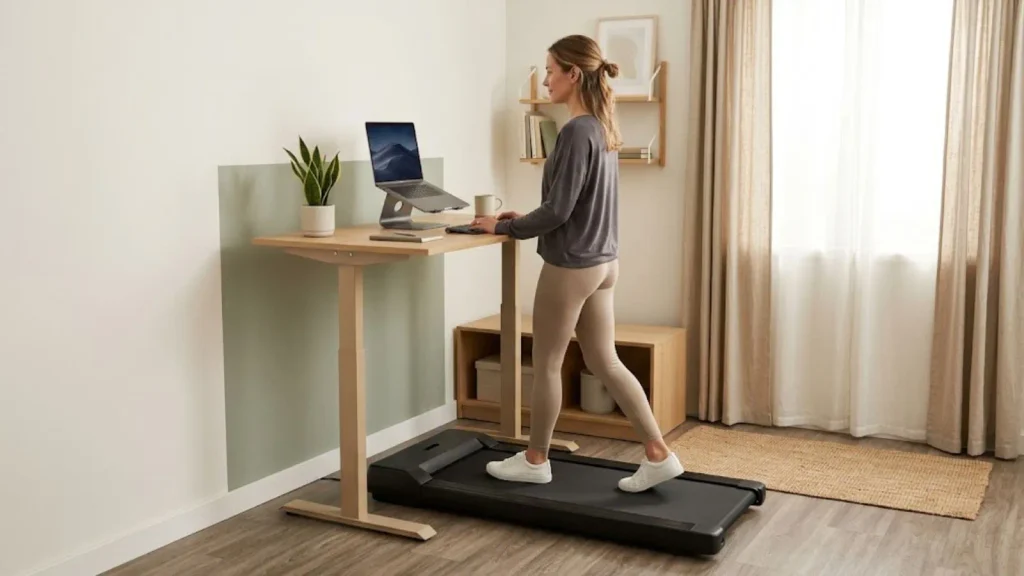
- Tripping or slipping: Wear non-slip shoes and stay centered on the belt.
- Cords: Keep them away from your feet and the belt.
- Pets and kids: Keep them clear while the belt moves.
- Stepping off: Stop the belt first, then step off.
- Emergency stop: Use the safety key or clip if your model has one.
When should I sit instead?
- For high-precision work like design or detailed editing.
- For high-stakes moments like big presentations or interviews.
- Any time you feel tired, distracted, or unsteady.
Is an Under-Desk Treadmill Different From a Walking Pad?
For using either one at work, no. The same speed and setup rules apply to both. That’s our view. The research here was done on treadmill desks, not walking pads.
The two terms overlap, and brands use them in different ways. Here is how they are often described:
- Under-desk treadmill: Low-profile. It may have a handle or console. People often choose it for a dedicated desk setup.
- Walking pad: Slim and foldable, and often handle-free. People often choose it for flexible small spaces.
Some walking pads also offer an incline. The studies here don’t cover incline walking, so
Suggestion > Start with flat walking for desk work.
Want to learn more before you buy? Browse our walking pad guides.
Frequently Asked Questions
What speed should I walk while working?
Try 1 to 1.5 mph for typing and 1.5 to 2 mph for calls and reading. Treat those as starting points, then test your own pace.
Can you type while walking on a treadmill?
Often, after an adjustment period, but results vary. Start slow and sit for demanding writing.
Can you use a mouse while walking?
It’s usually harder than typing. Shortcuts and a trackball can help, and precision work is best done seated.
Do you need a standing desk?
No. A sit-stand converter, or a counter with a laptop riser and external keyboard, can work if the heights fit.
Is it noisy enough to bother neighbors or a call?
It depends on your model, floor, and microphone. A headset mic helps, and daytime use lets you hear how it sounds in your space.
How long should I walk per day?
There’s no single right answer. Start with 10 to 15 minute blocks and build up over two weeks.
Is it safe to work while walking?
It can be, with non-slip shoes, clear cords, and a stopped belt before you step off. Check with a clinician first if you have joint, balance, or health concerns.
Does walking while working hurt productivity?
Typing and mouse work often got worse in the studies here, and the research doesn’t show a productivity boost. Match your speed to the task, and sit when precision matters.
Ready to Build Your Walking-While-Working Setup?
Start with the right equipment for your desk, room and daily routine. Compare compact walking pads for apartment living or explore under-desk treadmills designed for a dedicated work setup.